A few buttons, very large, and nothing else
The screen an older or dependent person sees is not like the rest of the family’s. It has just enough to check in, take their medication and know which visit is next.
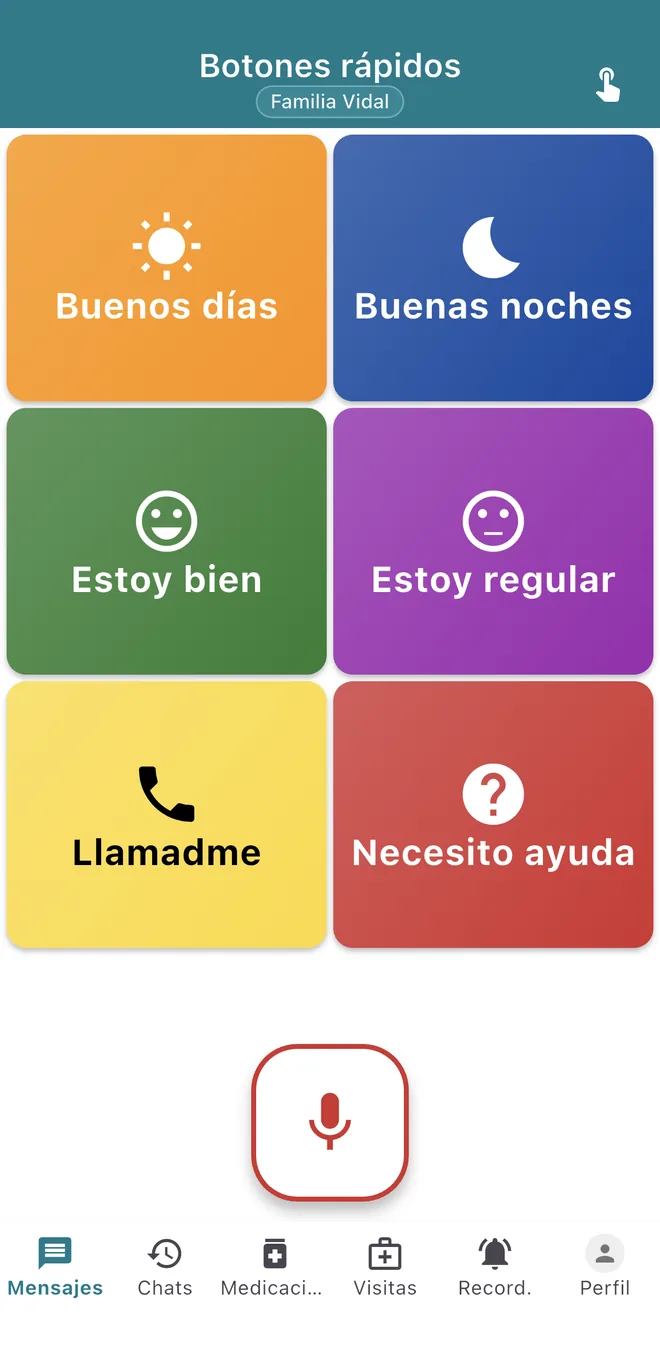
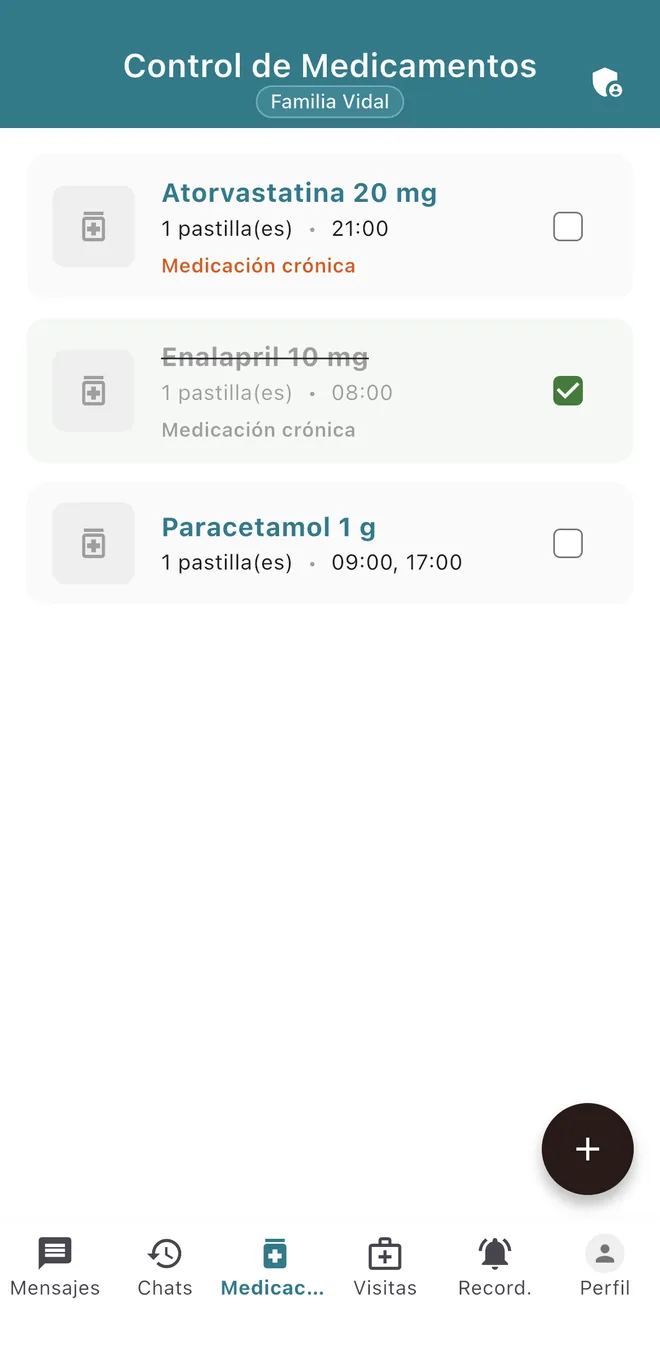
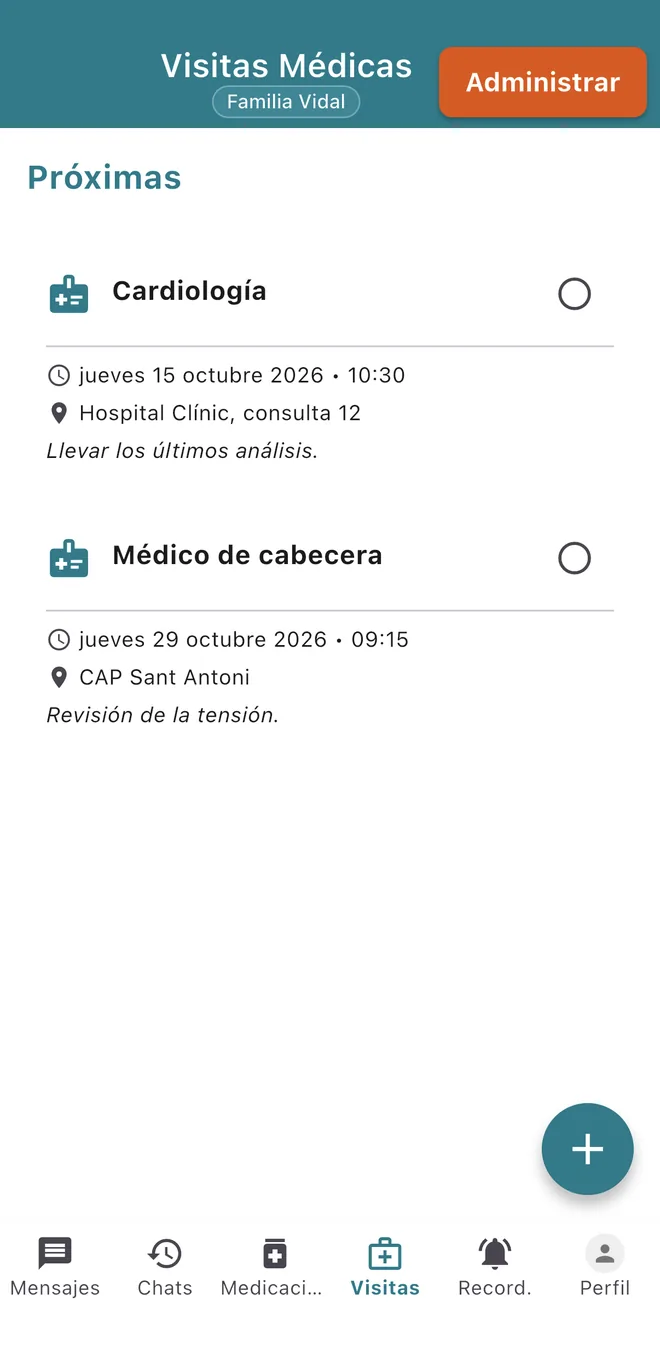
Real screenshots of the app, with a demo family. The app is available in Spanish and Catalan; these are shown in Spanish.
What they can do without help
Check in with one tap
Each button sends its message to the family: “Good morning”, “I’m fine”, “I’m so-so”, “I’m in pain”, “Call me”, “I need help”. Each has a different colour and sound, so it can be recognised without reading.
Talk instead of typing
They tap the microphone, say what they want to say and the app turns it into text. Before sending they can review it and fix a word by tapping it.
Mark their medication
When the alert for a dose arrives, they mark it as taken. There is nothing to set up: their family has done it.
See their medical visits
Upcoming appointments appear with their date and place.
Why it is built this way
When older adults are asked what keeps them away from technology, most do not talk about lack of interest: they want to learn. They talk about unclear instructions, lack of confidence and technology that is “too much and too complex”7. That is why in DiAlgo someone else does the setting up, and what remains on screen fits in a single view.
Button size and spacing on touch screens for older adults have been studied experimentally8, and accessibility guidelines set a minimum size for any control9. DiAlgo’s buttons are several times larger than that minimum.
To be frank
- It needs an iPhone or Android phone with an internet connection.
- DiAlgo has not been through an external accessibility audit. We apply the guidelines as design criteria, not as a certificate.
- “I need help” alerts the family. It does not call the emergency services or a telecare provider.
Set it up for them
Install it on your phone, create the family and then invite your father or mother with a code.