One large button. And the whole family knows.
DiAlgo is an app that lets an older or dependent person tell their family how they are with a single tap — “Good morning”, “I’m fine”, “Call me” — while the family keeps their medication and medical visits on track.


30-day free trial, no card. Then €9.99 a month for the whole family.
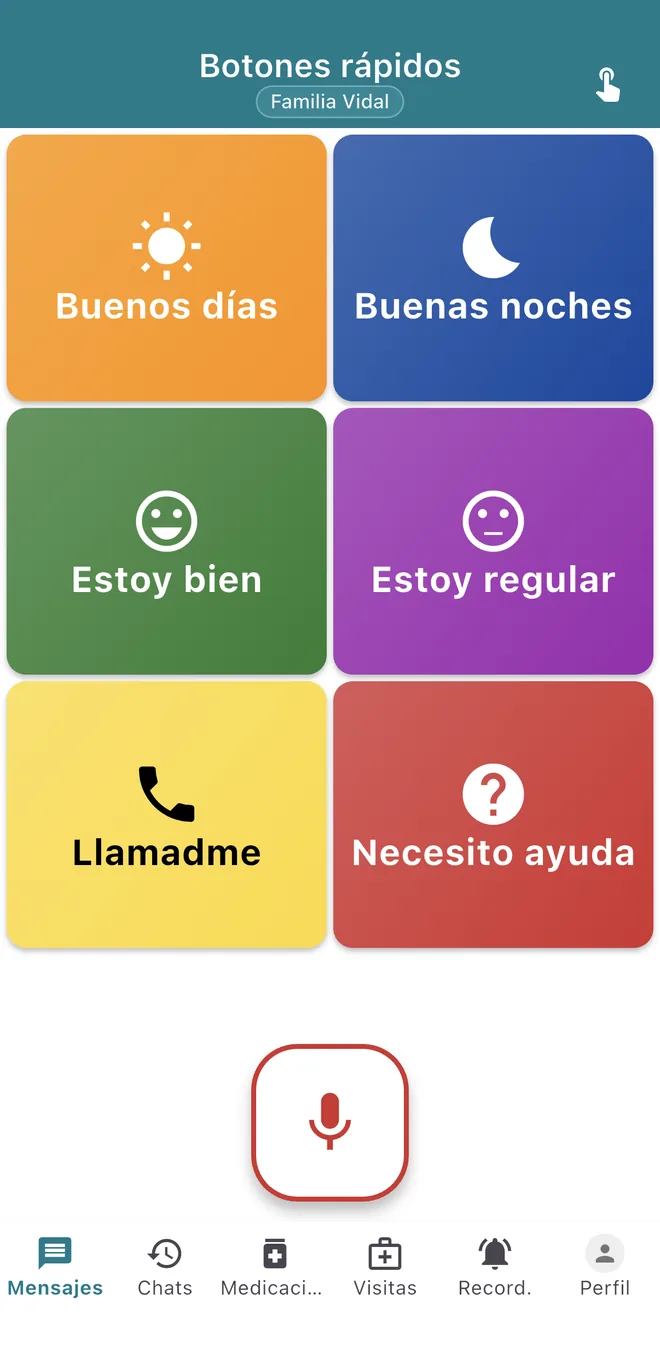
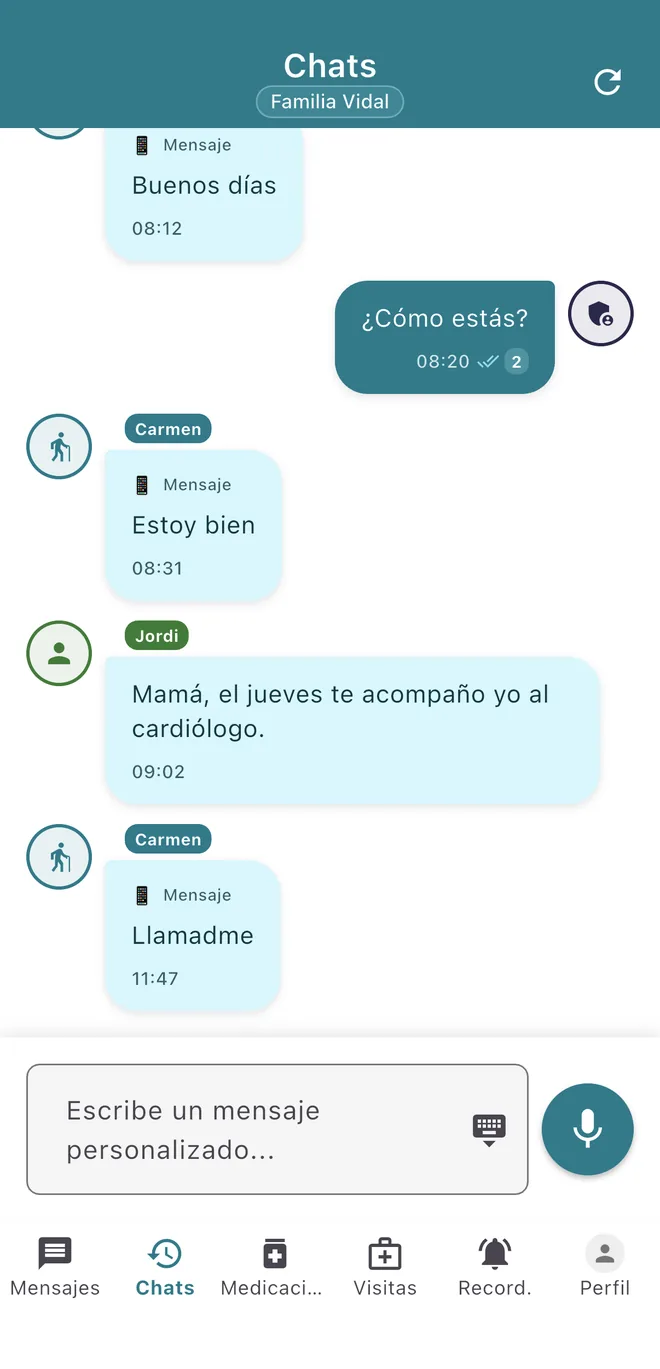
Real screenshots of the app, with a demo family. The app is available in Spanish and Catalan; these are shown in Spanish.
Three questions you no longer ask by phone
Did she get up all right?
She taps “Good morning” when she wakes up and everyone gets it, with its own sound. If one morning it does not arrive, that is your cue to call.
Did she take her pill?
The app sends an alert at the time of each dose and the person marks it as taken with one tap. To add a medicine you scan the barcode on the box: DiAlgo looks it up in CIMA, Spain’s official medicines database.
Who is taking her to the doctor on Thursday?
Medical visits are logged with date, place and notes, and the app sends reminders. The family checks the same calendar instead of asking each other.
Two different screens for the same family
The person who cares sets the app up from their own phone. The person being cared for sees only what they need.
For the person who needs it to be easy
- A single screen with large buttons, each with its own colour, icon and sound.
- If they would rather talk, they dictate the message and the app writes it.
- They mark each dose of medication with one tap.
- They see their upcoming medical visits without digging through menus.
For the people who care
- You get every check-in instantly and see how many relatives have read it.
- You choose which buttons appear and in what order, and add your own (“Come over”).
- You enter the medication and the visits; the app takes care of the reminders.
- You reply with quick messages (“How are you?”) or by typing.
- You export the family’s history as PDF, CSV or text.
What the research says, and what it does not
DiAlgo was not designed on hunches. These are the three ideas that weigh most in the app, with their source.
- People who self-administer their medication typically take about half of their prescribed doses1. In a meta-analysis of 16 trials, mobile reminders doubled the odds of adhering to treatment2.
- Social isolation is associated with a 29% higher likelihood of death, a weight comparable to other well-established risk factors3.
- Older adults want to use technology. What holds them back is that it is “too much and too complex” and that nobody gives them clear instructions7.
What we do not claim
No study has yet measured the effect of DiAlgo. And research does not show that an app, on its own, reduces loneliness in older adults5. DiAlgo makes daily contact easier; it does not replace visits.
One price for the whole family
9.99 € a month
Price in Spain. It may vary by country and store.
- 30-day free trial, no card. Nothing is charged until you subscribe.
- Only the person who manages the family pays. Other relatives and the older person join for free.
- No limit on family members.
- Cancel whenever you like from the App Store or Google Play.
This is health data. We treat it that way.
- Where it is stored
- Messages, medication and visits are stored in a database hosted in the European Union (Belgium).
- Who can see it
- Only the people in your family. Joining requires an invite code generated by whoever manages it.
- What you can do with it
- Export the history whenever you like and delete your account from the app itself.
Try it with your family
It takes a few minutes to set up and the first 30 days are free.